 blog
blog
Best App for Wearable Data: 2026 Guide
Table of Contents
- What Makes the Best App for Wearable Data
- Best Health Tracking Apps for Wearable Integration
- Fitness Tracker Apps That Connect Your Devices
- Apps That Sync with Fitness Trackers: Key Features
- Health Metrics Tracking App: Beyond Basic Numbers
- Data Quality, Accuracy, and Developer Access
- Choosing the Right Wearable Data App for Your Needs
- Frequently Asked Questions
Last Updated: October 16, 2026
What Makes the Best App for Wearable Data
The best app for wearable data does three things: connects your devices without friction, gives you real ownership of your health information, and turns raw metrics into actionable insights.
Most people own multiple wearables that never talk to each other: a smartwatch, a fitness app, a sleep tracker.
Device compatibility and data synchronization
Device connectivity is the foundation. A tool that works with only one brand limits your options; the best solutions support iOS and Android, sync with major trackers and smartwatches, and pull data from health platforms you already use.
Real compatibility means reliable, frequent synchronization. Some apps update once daily; others sync continuously, so intraday data is current whenever you need it.
Cross-platform synchronization is where many apps fall short, connecting to Apple Health or Google Fit but not both.
Data ownership and export capabilities
You generate the data, so you should own it. Yet many health apps lock it behind their platform.
Export capabilities matter more than most people realize. A web API or automated access lets you integrate your data with other tools, share it with providers, or run your own analysis.
Data portability is practical, not just a privacy feature. If you're managing a chronic condition and need to share metrics with a doctor, an app that exports clean, organized data in standard formats saves hours of manual work.
Privacy and data security standards
Health data is sensitive, and the best app for wearable data treats it that way: readable privacy policies, encryption in transit and at rest, and transparency about third-party access.
Look for apps that don't sell your data to advertisers or brokers.
Standards like SOC 2 certification, HIPAA compliance (if relevant), and regular audits signal that an app takes protection seriously. Ask whether the company undergoes third-party security reviews and how it handles breaches.
Best Health Tracking Apps for Wearable Integration
We'll focus on apps that genuinely excel at integrating wearable data into a coherent health picture.
Unified data dashboards
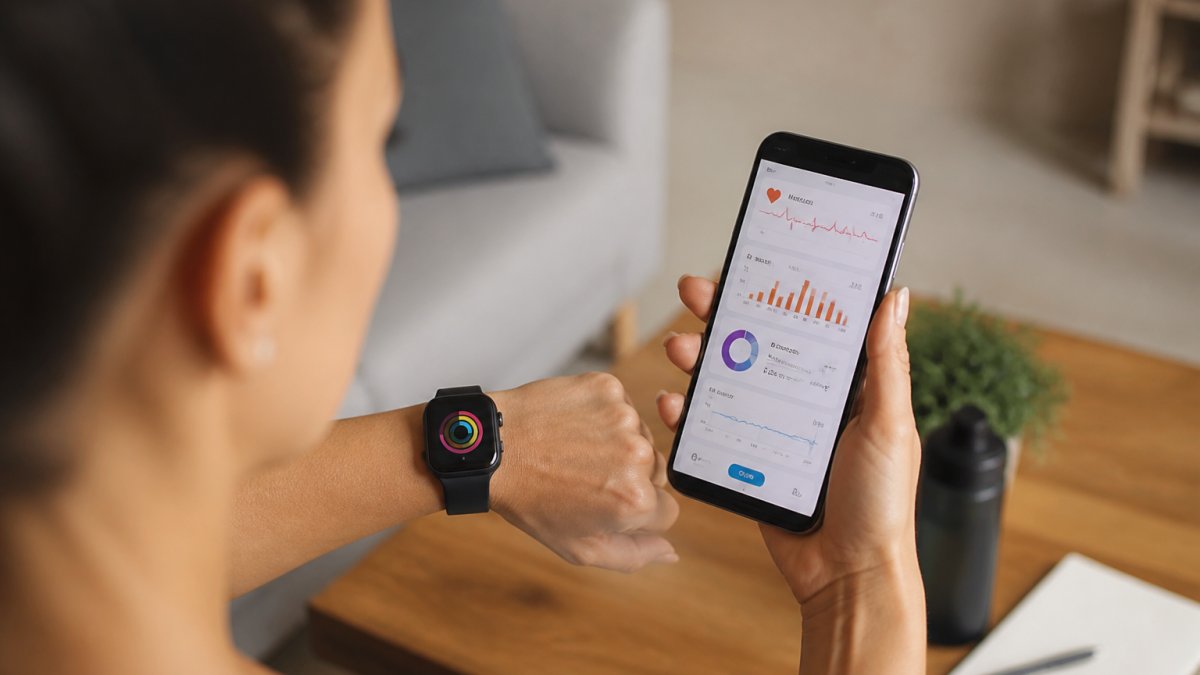
A unified dashboard is where fragmented data becomes useful: activity, sleep, heart rate, nutrition, stress, and recovery metrics in one place instead of five apps.
The best dashboards organize numbers by relevance: recovery focus highlights sleep quality, heart rate variability, and training load; stress focus surfaces mood trends, sleep disruption, and breathing exercises.
Historical access matters too. A dashboard revealing patterns over weeks and months helps you spot what actually moves your metrics, like whether sleep improved after changing your evening routine.
Cross-platform synchronization
True cross-platform synchronization means data flows across devices without manual intervention. That's harder than it sounds: manufacturers use different data standards, and some wearables stream in real time while others batch uploads daily.
The best apps handle these differences transparently: connect your devices once, and the app manages API authentication and format conversion. When sync works, your data simply appears where you need it.
| Feature | What It Means | Why It Matters |
|---|---|---|
| Real-time sync | Data updates throughout the day | Catch patterns and anomalies quickly |
| Cross-device support | Works with multiple wearable brands | Use the best device for each need |
| Automatic updates | No manual uploads or refreshes | Data stays current without effort |
| Historical backfill | Retrieves past data when connecting | Complete picture from day one |
Fitness Tracker Apps That Connect Your Devices
Modern fitness apps recognize that people don't exercise the same way every day: a runner needs different metrics than a weightlifter, a cyclist different insights than a swimmer.
Activity and exercise logging
The best fitness tracker apps make logging frictionless: some auto-detect when you start running or cycling; others require manual entry but keep it quick.
Exercise logging should capture more than duration and distance: heart rate during the workout, recovery heart rate, perceived exertion, and how you felt. That context shows not just what you did, but how your body handled it.
Workout logging also drives accountability, revealing which workouts you stick with versus abandon after a few weeks.
Heart rate and wellness metrics
Heart rate is one of the most useful wearable metrics, but only if the app interprets it correctly.
A good app contextualizes heart rate: comparing your resting rate to baseline, flagging spikes that might indicate illness or overtraining, and showing how your heart responds to different activities and stress.
Wellness metrics extend beyond heart rate to stress scores, recovery assessments, and readiness recommendations. Some apps suggest whether to push hard or dial back, guidance that can prevent injury and improve long-term progress.
Apps That Sync with Fitness Trackers: Key Features
Choosing an app that syncs with your fitness tracker requires understanding which features actually matter for your situation.
Real-time data collection and intraday metrics
Intraday data, metrics collected throughout your day rather than summarized daily, reveals patterns you'd otherwise miss. Morning heart rate variability indicates recovery status; evening stress levels predict next-day sleep quality.
Real-time collection lets you see these patterns as they develop: stress spikes correlating with poor sleep, activity dropping before illness, recovery metrics signaling you need more rest.
Real-time access also enables responsive adjustments. If your app shows elevated stress at 4 PM, you can take a walk or do breathing exercises immediately; waiting for evening summaries means losing the window to respond. (Source: HIPAA guidelines for health data protection)
Historical data access and trend analysis
The real power of wearable data emerges over time: a single day is noise, a month reveals genuine patterns, and a year shows seasonal trends and long-term progress.
The best apps for wearable data make historical analysis accessible: see sleep quality over 90 days, identify what correlates with good nights, test whether changes improve outcomes, and track whether training load is sustainable.
Trend analysis also drives accountability: seeing your activity graphed over months confronts you with whether you're maintaining intended habits, feedback that changes behavior more effectively than daily motivation.
Health Metrics Tracking App: Beyond Basic Numbers
The difference between a basic fitness app and a sophisticated health metrics tracking app is context. Basic apps tell you what happened. Advanced apps help you understand why and what to do about it.
Sleep quality and recovery tracking
Sleep is where your body does most of its repair work, yet many people have no idea whether they're sleeping well.
Quality sleep tracking requires good data. A movement-only wearable misses disruptions; devices measuring heart rate, heart rate variability, and skin temperature provide richer insight.
Recovery metrics extend beyond sleep to resting heart rate, heart rate variability, muscle soreness, and subjective well-being. A comprehensive health metrics tracking app combines these into a recovery score telling you whether to train hard or move easier.
Nutrition and food logging integration
Wearable data tells you what your body is doing; nutrition data tells you what you're putting in.
Food logging requires friction management. Manual entry of every meal is unsustainable; apps with barcode scanning, restaurant databases, or meal photo recognition lower the barrier. Some pull data from other nutrition platforms rather than requiring duplicate entry.
Nutrition integration also means understanding macronutrient balance: are you eating enough protein for your activity level, and is carbohydrate timing supporting your workouts? These questions matter more when the app correlates nutrition with performance metrics.
Personalized wellness insights and behavioral context
Raw data overwhelms; personalized insights clarify. The difference between a good health metrics tracking app and a great one is whether it translates numbers into guidance you can use.
This requires behavioral context: your stress spiked Tuesday because of a work deadline; your sleep suffered Wednesday because you exercised late; your recovery metrics are declining because you've trained hard without rest days.
Data Quality, Accuracy, and Developer Access
Not all wearable data is equally reliable: sensor accuracy varies, and some step counters over- or underestimate movement. The best app for wearable data acknowledges these limitations and helps you work within them.
Sensor accuracy and data validation
Wearable sensors have real limitations: optical heart rate sensors struggle during intense intervals, step counters miscount when you push a cart, and GPS is inaccurate in dense cities. The app should be transparent about them.
Data validation separates good apps from mediocre ones. If your heart rate jumps to 200 BPM for 30 seconds then drops to 70, that's likely sensor error; a smart app flags or smooths such anomalies.
Understanding data quality also means knowing some metrics are more reliable than others: step count is generally accurate, calorie burn far less precise.
Web API and automated data access
For people managing chronic conditions or working with providers, API access matters: a web API lets you or your doctor pull data automatically into medical records or analysis tools, instead of manually exporting and emailing spreadsheets.
Developer access also enables integration with other platforms: a diabetes or cardiac rehab app can pull your wearable data via API without duplicate entry, saving time and reducing errors.
Sophisticated users need more than the app provides: they want to run their own analyses, build custom dashboards, or feed data into research studies. API access enables that.
Choosing the Right Wearable Data App for Your Needs
The best app for wearable data depends on your situation: someone managing a chronic condition has different needs than an athlete optimizing performance, and a non-technical user different needs than a developer building custom integrations.
Matching features to your health goals
Start by clarifying what you're trying to accomplish. Improving sleep? Prioritize sleep tracking and recovery metrics. Training for an event? Focus on activity logging, workout analysis, and training load. Managing a condition?
Different apps excel at different goals: a runner-focused app may not serve strength training well, and a general wellness app may lack the medical integration someone with diabetes needs.
Consider whether you need one comprehensive app or multiple specialized tools: some prefer a single unified platform, others a toolkit where each app does one thing exceptionally well.
Integration with professional medical care
At eeMeds, we recognize that wearable data becomes most valuable when it connects to professional medical guidance.
The gap most people experience is between data collection and medical interpretation: you have excellent metrics, but your doctor has limited insight into your daily patterns.
Finding the best app for wearable data means prioritizing what matters: genuine device compatibility, real data ownership, and meaningful health insights.
Frequently Asked Questions
How do I track health data from multiple wearables in one place?
The best app for wearable data consolidates information from different devices through direct API connections or cloud synchronization. Look for platforms that support iOS and Android compatibility and connect to your specific wearables. Once connected, your activity tracking, heart rate, sleep data, and other health metrics sync automatically to a unified dashboard, eliminating the need to check multiple apps separately.
What should I look for in an app that tracks wearable health data?
Prioritize device compatibility with your current wearables, data export capabilities so you own your information, and privacy protections for sensitive health data. Check whether the app offers a comprehensive health metrics tracking experience beyond basic step counts, including sleep quality, heart rate variability, nutrition tracking, and personalized insights. Cross-platform support ensures your data stays accessible whether you use iOS or Android devices.
Can wearable data apps work alongside my doctor's monitoring?
Yes. The best health tracking apps complement professional medical care by providing continuous daily wellness data that you can share with your healthcare provider. Some platforms integrate lab results and medication tracking alongside wearable metrics, creating a complete health picture for your doctor's review. This is especially valuable if you're managing chronic conditions or pursuing metabolic health goals with medical guidance.
Is my personal health data secure when I sync multiple wearables to one app?
Security depends on the app's privacy standards and encryption practices. Before syncing wearables, review the platform's privacy policy to understand how data is stored, who can access it, and whether you can export or delete your information. Reputable health tracking apps use end-to-end encryption and comply with healthcare data protection standards, but always verify their specific security measures before connecting sensitive biometric data.