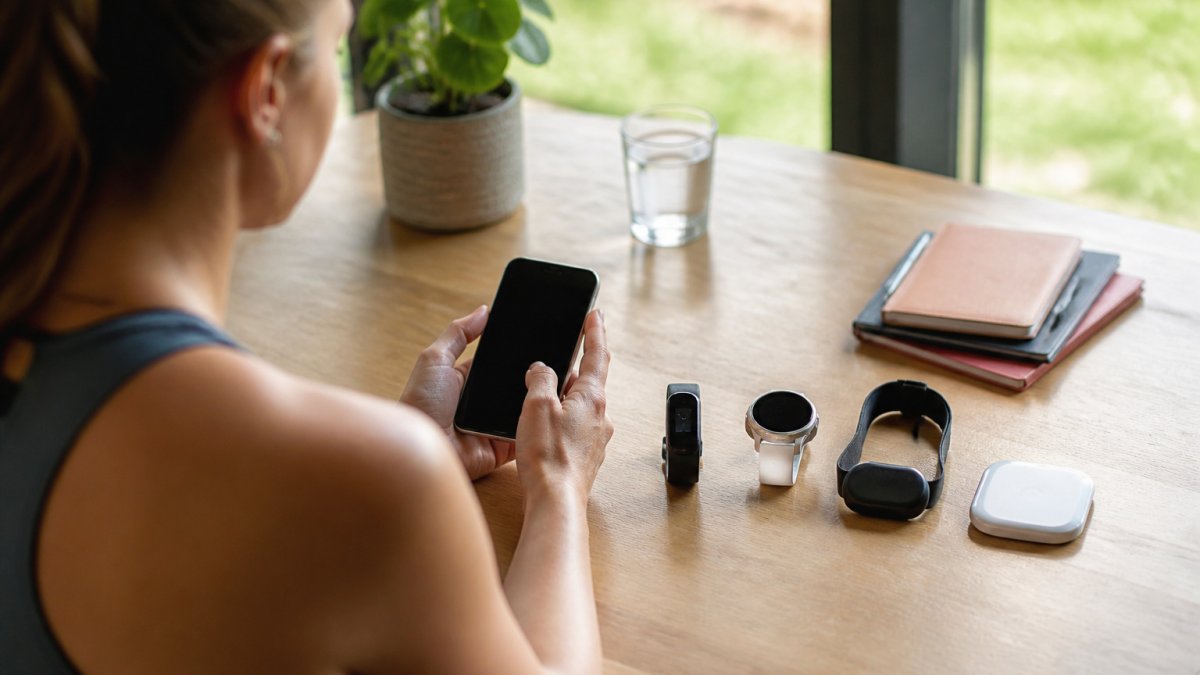
 How-to
How to Consolidate Wearable Health Data in One Place
Quick Summary
To consolidate wearable health data, pick one hub where all your device inputs meet, such as a phone health hub or a third-party aggregator. Connect each source one at a time, confirm the metrics actually arrive, and then add labs, medications, and mood entries for context.
- Inventory every device and list which metrics you actually want to follow.
- Phone health hubs like Apple Health or Health Connect suit users whose devices already write to them.
- Third-party aggregators work better if you switch phones or need labs and medications in one view.
- Verify each connection with a concrete test: match a recent reading between the source app and the hub.
- Assign one primary source per metric to prevent duplicate records from inflating totals.
Table of Contents
- Why Wearable Health Data Ends Up Scattered Across Apps
- Choosing the Best App for Wearable Data
- Step-by-Step: Setting Up Your Consolidation Workflow
- Why Wearable Data Won't Sync Between Apps and How to Fix It
- How to Combine Health Data From Multiple Devices Without Duplicates
- Wearable Health Data Integration: Adding Labs, Medications and Lifestyle Inputs
- Privacy, Consent and Sharing Your Consolidated Data With a Clinician
- Booking Your Next Step With a Whole-Person Health View
- Frequently Asked Questions
Why Wearable Health Data Ends Up Scattered Across Apps
Last Updated: October 30, 2026
Most people who own a fitness tracker, smart ring, or smartwatch end up with the same problem: sleep data lives in one app, heart rate in another, and lab results in a patient portal they rarely open. This guide explains how to consolidate wearable health data so those pieces come together.
Fragmentation happens because each device maker builds its own app, stores its own data, and decides what to share.
Common reasons data stays split include:
- Different data formats. Each device records heart rate or steps in its own unit and timing style.
- Closed ecosystems. Some apps share data only with other products from the same company.
- Manual entry gaps. Lab results, medication logs, and mood notes often sit outside any device app.
The result is a stack of apps that each show part of the picture. You may see that your sleep dropped, but not whether that dip lines up with a new medication or a stressful week.
To consolidate wearable health data, choose one place where these inputs meet, making patterns easier to spot.
Choosing the Best App for Wearable Data
The right app for wearable data should accept inputs from several sources, organize them by date, and make results easy to read.
When comparing options, look at these criteria:
| Criteria | What to Check | Why It Matters |
|---|---|---|
| Device support | Does it connect to your specific wearables? | Missing devices mean missing data |
| Data types | Activity, sleep, heart, labs, medications? | Broader inputs give a fuller view |
| Export options | Can you download or share your data? | Protects you if you switch later |
| Privacy controls | Can you choose what gets shared and with whom? | Health data is sensitive |
| Clarity of output | Does it explain results or just show numbers? | Numbers alone rarely drive action |
A platform built for device neutrality can connect to the tools you already use instead of asking you to switch. eeMeds™ is designed around this approach, unifying data from wearables, labs, medications, mood, sleep, stress, and activity, and showing how these inputs relate.
Watch out: an app that reads your data but never explains it can leave you with more numbers and no next step. Look for tools that point to patterns you can act on.
Step-by-Step: Setting Up Your Consolidation Workflow
A clear setup process saves time and prevents gaps. The steps below work across most device ecosystems, assuming you want a single destination that accepts data from multiple device makers, not just one brand's app.
- Inventory every device and app you use, including the ones you have stopped wearing.
- Note what each one measures and how often it syncs.
- Decide on your hub: a phone health hub (Apple Health on iOS, Health Connect on Android) or a third-party aggregator.
- Connect each source, one at a time, and confirm the specific metrics you care about arrive.
- Add manual inputs such as lab results, medication notes, and mood entries.
- Run a one-week verification pass before drawing any conclusions.
Mapping Your Devices and Their Data Types
Start by writing down your devices in a simple table.
Add a "native export" column. Some devices export raw data as CSV or JSON from the companion app or web dashboard; others only expose data through a cloud API or partner integration.
| Device | Metrics tracked | Sync method | Native export? |
|---|---|---|---|
| Smartwatch | Steps, heart rate, sleep | Bluetooth to phone app | Yes, CSV from web dashboard |
| Smart ring | Sleep stages, temperature | Bluetooth to phone app | Limited |
| Phone | Steps, flights | Built-in | Via OS health hub |
This map becomes your checklist. When you connect a source later, you can check off each metric as it arrives.
Choosing Your Hub: Phone Health Hubs vs. Third-Party Aggregators
The two main routes have different trade-offs, and neither is universally better.
Phone health hubs. Apple Health on iOS and Health Connect on Android act as on-device repositories many wearable apps can write to.
Third-party aggregators. Dedicated apps can pull from multiple device clouds and often add labs, medications, and lifestyle logs in one view. Their strength is cross-platform reach and richer context.
Connecting Sources and Confirming Permissions
Connect one source at a time. After each connection, open the central app and check that recent data has arrived. Give it a day or two to fill in before moving on.
Permissions are where many setups fail. Some connections request access to only part of your data.
Check permissions again after phone or app updates, since these can reset them.
Verifying That Data Actually Synced
Do not assume a connection is working because the app shows a checkmark. Verify with a concrete test: (Source: guidelines from the U.S. Department of Health & Human Services (HHS) on health data privacy)
- Open the source app and note a recent reading, such as last night's sleep duration or this morning's resting heart rate.
- Open the hub and confirm the same value appears with a matching timestamp.
- Check a second metric from the same device to confirm the connection is not partial.
If a value is missing, the cause is usually one of three things: the source app is not writing that data type, the hub does not support it, or background sync is disabled. Working through those in order resolves most setup problems.
Why Wearable Data Won't Sync Between Apps and How to Fix It
Sync failures are common and usually fixable. Most come from a handful of causes.
- Expired authorization. The link between apps may lapse, so re-authorize the connection.
- Background refresh turned off. Phones often pause data updates to save battery. Turn background refresh back on for the relevant apps.
- Device not nearby. Many wearables sync only when near the phone. Keep the device close and open the companion app.
If a problem persists, disconnect the source and reconnect it. Then check whether older data backfilled. Some platforms only import new records after the connection is restored, so a gap may remain.
How to Combine Health Data From Multiple Devices Without Duplicates
Two devices often record the same event, your watch and ring may both log a night's sleep, and your phone may count steps your watch also counts. Without a rule for handling this, totals inflate and trends get noisy.
Why Duplicates Appear in the First Place
Duplicates are not a bug in any single app; they are the predictable result of several apps writing overlapping data types to the same hub.
The problem is worse when you connect a device that backfills history. A newly connected app may import weeks of past records that overlap with data already in the hub, creating a burst of duplicates that were not there before.
A Practical Rule Set for Resolving Duplicates
Good consolidation includes these steps:
- Pick a primary source for each metric. Let your watch be the source of truth for steps and your ring for sleep, and write this down to prevent ad hoc decisions later.
- Set a time window for matching. Records within the same few minutes often describe the same event; a few minutes works for heart rate and steps, while sleep sessions may need a wider window because devices detect onset differently.
- Normalize units before comparing. Convert to the same scale, minutes for sleep, beats per minute for heart rate, a consistent step count per interval, or a unit mismatch will look like a conflict.
Handling Conflicting Readings
Conflicts are different from duplicates. A duplicate is the same event recorded twice; a conflict is two devices disagreeing about the same event. Common examples include resting heart rate that differs by several beats per minute between devices, sleep duration that differs by 30 minutes or more, and step counts that diverge over the course of a day.
A few rules of thumb help:
- Trust the device worn closest to the measurement site for that metric. A chest strap is generally more reliable for exercise heart rate than a wrist optical sensor; a ring worn overnight may be more consistent for sleep staging than a watch that moves during sleep.
- Look at the trend, not the single reading. If one device consistently reads a few beats higher, that offset is a calibration difference, not an error. Track one source's trend rather than mixing sources day to day.
- Record the disagreement. A short note that two devices diverged on a given night is useful context later, especially if you share the data with a clinician.
Data Quality: Gaps, Noise, and Sensor Limits
Consolidation also means knowing when a reading is not worth trusting. Optical heart rate can struggle with motion, cold skin, or tattoos; step counts can be inflated by arm movement; sleep staging is an estimate, not a direct measurement. A consolidated view that treats every reading as equally reliable will mislead you.
Practical checks include:
- Look for gaps. A missing night of sleep data is a signal that the device was not worn or did not sync, not that you did not sleep.
- Watch for implausible values. A resting heart rate far outside your normal range, or a step count that jumps without a corresponding change in activity, usually reflects a sensor issue rather than a real event.
- Compare across sources when a value matters. If a single reading drives a decision, check whether a second device agrees before acting on it.
Keeping the Combined View Honest
These rules keep your data honest and trends easier to trust, because a sudden jump is more likely to reflect your body than a counting error. The goal is not a perfect dataset, no consumer wearable produces one, but a record where you know which source you trust for which metric and where disagreements are visible rather than hidden.
Wearable Health Data Integration: Adding Labs, Medications and Lifestyle Inputs
Wearables measure what your body does. They do not measure what your blood work shows or how a medication affects your sleep. Adding those inputs gives context to the numbers.
Useful additions include:
- Lab results. Cholesterol, blood sugar, and thyroid markers help explain energy and recovery patterns.
- Medication notes. Dates and doses let you see whether changes in sleep or appetite follow a new prescription.
- Lifestyle logs. Meals, alcohol, caffeine, and stress ratings often explain day-to-day swings.
Entering labs and medications takes a little effort, but it turns a list of readings into a more complete record.
Privacy, Consent and Sharing Your Consolidated Data With a Clinician
Bringing your data together also concentrates it, so privacy matters more. Before connecting anything, review what the platform collects, how it stores data, and whether it sells or shares information with third parties.
Consider these questions:
- Who can see my data, and can I restrict access?
- Can I delete my data and my account completely?
- Does the platform encrypt data in transit and at rest?
Sharing with a clinician can be very useful: a consolidated summary helps a doctor see trends across sleep, activity, and labs during a visit. Ask which format they prefer, and share only what is needed for the decision at hand.
Booking Your Next Step With a Whole-Person Health View
Once your data is in one place, the next step can be interpreting it with a professional. eeMeds offers AI-powered health insights, and its eeTeleHealth Plus™ service connects you with licensed professionals for virtual consultations.
You can see how the service works on the eeMeds website before you decide. Pricing depends on the services you choose, so check the eeMeds website for current details or a quote.
Frequently Asked Questions
How can I combine health data from multiple wearables?
Start by listing every device and the data types it records, such as steps, heart rate, sleep and workouts. Then choose one central view to receive that data, either a dedicated health platform or your phone's health store, and connect each device to it through its official app. Check after a few days that each data type arrives once and in the expected units. Consolidating in one place is easier when you keep the number of connected sources small and review permissions for each one.
Can I sync data from different wearable brands in one app?
Often yes, but support varies by brand and by data type. Some devices write to a shared health store, while others only export through their own cloud account. Check each manufacturer's current list of supported integrations before you commit, because a metric may sync for one device and not another. Where direct sync is missing, a manual export file can fill the gap, though it will not update automatically.
Why is my wearable data not syncing between apps?
Common causes include revoked permissions, an expired connection token, the device not being open or charged during the sync window, and the two apps using different time zones or units. Reconnect the integration, confirm the app has permission for the specific data type, and make sure background refresh is allowed on your phone. If one metric still fails, check whether the source app supports exporting that metric at all.
How do I share wearable health data with my doctor?
Export a summary or a data file from your consolidated view and bring it to your appointment, or share it through a secure patient portal if your clinic offers one. Share only the metrics relevant to your care and confirm with your clinician which format they can read. Do not treat wearable readings as a diagnosis; they are supporting information for a conversation with a qualified professional.