 How-to
How to Know If You Need a Wellness App
Quick Summary
You may need a wellness app if your health data is scattered across devices, or if you struggle to see what your numbers mean for your daily life. Wellness apps pull sleep, activity, stress, and habits into one place and show how they affect each other. Whether one is worth it depends on a specific need you have, not on popularity.
- Wellness apps combine data from watches, scales, and notes into one place.
- Ask whether an app solves a specific problem you actually have.
- Skip an app if tracking makes you more anxious or you already have a routine that works.
- Wellness apps cannot diagnose conditions or replace a clinician or therapist.
- Review your app after two to four weeks against the goal you set at the start.
Table of Contents
- Why Wellness Apps Exist: The Problem They Solve
- Who Actually Benefits From a Wellness App
- Wellness Apps for Mental Health: What They Can and Cannot Do
- The Benefits of Mobile Health Apps Beyond Mental Health
- Using Wearables and Apps Together Without Data Overload
- Privacy, Accuracy and When to Involve a Professional
- Choosing and Starting Your First Wellness App
- Frequently Asked Questions
Why Wellness Apps Exist: The Problem They Solve
Last Updated: November 3, 2026
Most people now own at least one device that tracks something about their body. A smartwatch counts steps. A ring tracks sleep. A phone app logs mood or meals.
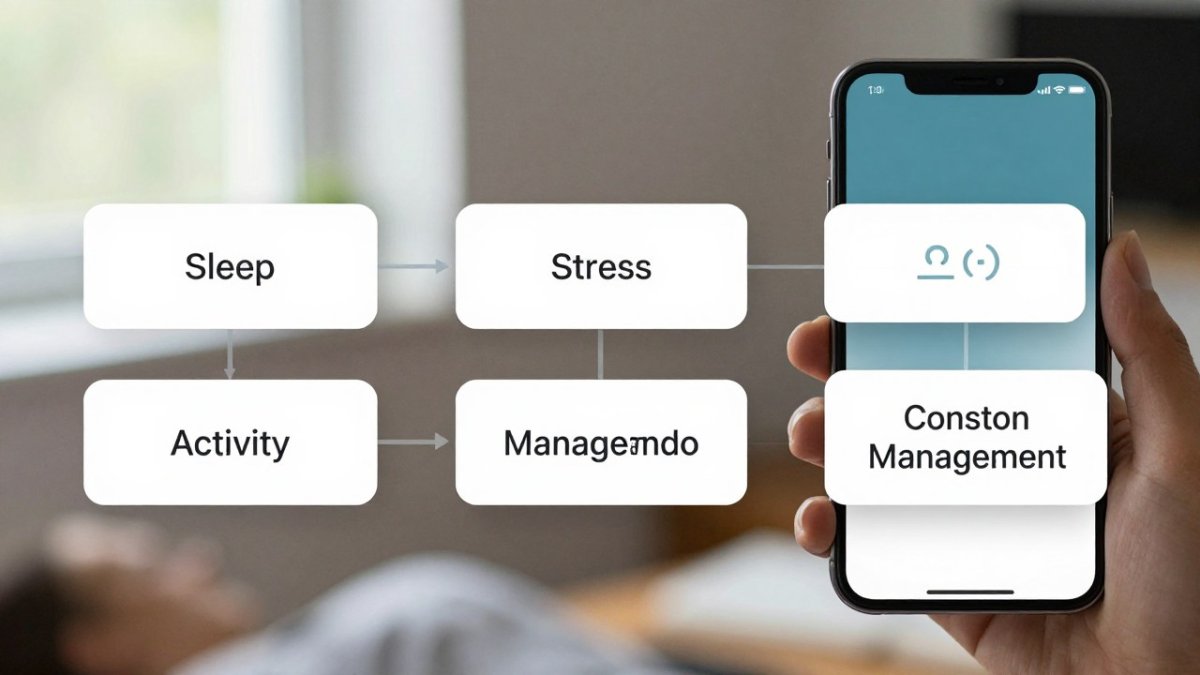
A wellness app tries to pull scattered information into one place. It looks at sleep, activity, stress, and habits together, then helps you see how they affect each other. Many people find that a poor night's sleep quietly shapes their mood, cravings, and energy the next day.
The core problems most wellness apps aim to solve:
- Data scattered across too many apps. Readings live in a watch app, a scale app, and a notes app.
- Numbers with no context. A resting heart rate of 62 means little until you know what is normal for you.
- Good intentions that fade. Plans to exercise or sleep earlier often slip within a few weeks.
- No clear next step. Knowing your stress is high does not tell you what to change.
The article points to a few core problems that most wellness apps are built to address.
| Problem | What goes wrong | How the app helps |
|---|---|---|
| Data scattered across too many apps | Readings live in a watch app, a scale app, and a notes app | Pulls information into one place |
| Numbers with no context | A resting heart rate of 62 means little on its own | Shows what is normal for you |
| Good intentions that fade | Plans to exercise or sleep earlier often slip within a few weeks | Supports habit-building over time |
| No clear next step | Knowing your stress is high does not say what to change | Helps you see how habits affect each other |
Who Actually Benefits From a Wellness App
Match your situation to the function an app provides:
- You own a wearable but only look at one number. You may need an app that aggregates data from multiple devices into a single dashboard and shows relationships between sleep, activity, and mood.
- You have a goal but keep losing momentum. You may need an app built around habit-building: reminders, streaks, and a visible record of progress.
- You feel stressed or low but are not in crisis. You may benefit from guided breathing, mood logging, and short mindfulness sessions, with the understanding that these are self-management tools, not treatment.
- You are managing a chronic condition or medication. You may need tracking features that log symptoms, doses, and readings over time so you can discuss patterns with a clinician.
- You want to sleep better. You may need bedtime routines, wind-down prompts, and sleep-trend charts rather than a single night's score.
- You want to eat better without a rigid diet. You may need simple meal logging that surfaces which foods leave you energized or sluggish.
When an app is probably not the answer yet:
- You are not interested in tracking anything and would resent the notifications.
- You already have a routine that works and do not want more data.
- You feel more anxious the more you check health numbers.
- You are looking for a diagnosis or treatment plan. That is a job for a clinician, not an app.
A simple test helps. If you check your health numbers often but still feel unsure what they mean, an app that explains patterns may be worth trying. If the numbers only make you anxious, a break from tracking may serve you better.
Wellness Apps for Mental Health: What They Can and Cannot Do
Many wellness apps include features for mood, stress, and mindfulness. These features can be useful. Guided breathing, mood logs, and reminders to take a short break can help people notice patterns in how they feel.
They also have clear limits. A wellness app cannot diagnose a mental health condition, and it cannot replace a therapist or doctor. If your mood stays low for weeks, affects your work or relationships, or includes thoughts of harming yourself, a professional should be involved promptly.
What wellness apps can do well:
- Track mood and stress across days and weeks
- Offer simple exercises such as breathing or short meditations
- Send reminders for routines you want to keep
- Help you notice what tends to come before a bad day
What they cannot do:
- Provide a diagnosis or treatment plan
- Handle a mental health crisis
- Replace a trained clinician for ongoing care
Free options and what to check before you download
Free apps can be a reasonable place to start, especially for simple mood logs or meditation timers. Before you install one, check a few things:
- Who made it. Look for a named company and a clear way to contact them.
- What data it collects. Read the permissions list and privacy policy.
- Whether it makes medical claims. Be wary of apps that promise cures.
- What happens to your data if you stop using it. You should be able to export or delete it.
- Whether a paid tier is required for core features. Free trials often end quietly.
Check each app's website for current pricing options before you commit.
The Benefits of Mobile Health Apps Beyond Mental Health
Mobile health apps cover much more than mood. Many people use them for physical activity, nutrition, sleep, and managing a chronic condition. The shared benefit is that a phone is always nearby, so logging a meal or a workout takes seconds.
Common areas where these apps help:
- Physical activity. Step goals, workout logs, and reminders to move after long sitting.
- Sleep. Bedtime routines, sleep trend charts, and wind-down prompts.
- Nutrition. Meal logging and patterns that show which foods leave you energized or sluggish.
- Metabolic and weight goals. Weight trends, glucose notes, and medication tracking.
The key advantage is consistency. An app that asks one question each morning often gets more honest answers than a yearly checkup can capture.
Using Wearables and Apps Together Without Data Overload
Owning a wearable and an app can work well together, but more data does not always mean more clarity. Many people end up with a dozen charts they never open. The goal is to pick a small set of numbers that matter for your goals and ignore the rest.
A practical approach:
- Choose one main goal. For example, better sleep or lower stress.
- Pick three to five metrics that relate to it. Sleep duration, resting heart rate, and a daily mood score might be enough.
- Turn off alerts you never act on. Fewer notifications mean less noise.
- Review data weekly, not hourly. Patterns show up over days, not minutes.
- Consolidate where you can. Some apps pull data from multiple devices into one dashboard.
eeMeds is designed to bring data from wearables and other sources together, so readers can see patterns rather than switching between separate apps. The intent is to reduce overload, not add to it.
Privacy, Accuracy and When to Involve a Professional
Health data is personal, so privacy matters. Before you connect any app to your wearable or medical records, review what it accesses, where it is stored, and whether it is shared with third parties.
Accuracy also matters. Wearables estimate values such as sleep stages and calorie burn, and these estimates can differ from clinical measurements. Treat app insights as signals to explore, not as medical facts.
Wellness apps are most useful as a complement to medical care. Licensed telehealth services can provide professional guidance when you need it. eeMeds also offers its eeTeleHealth Plus service, which connects users with licensed professionals for virtual consultations.
Choosing and Starting Your First Wellness App
Starting well matters more than choosing the most features.
A step-by-step way to begin:
- Name your reason in one sentence. For example: "I want to fall asleep within 30 minutes of going to bed" or "I want to walk 20 minutes most days." A vague goal like "be healthier" makes it impossible to judge whether the app is working.
- Shortlist two or three apps and compare the same three things. Check the privacy policy (what data is collected, whether it is shared, and whether you can export or delete it), the price and what the free tier actually includes, and whether the core features you need are available without a paid upgrade.
- Start with one or two features. Turning on every notification and metric at once is the most common way people burn out on an app in the first week.
- Set a trial period of two to four weeks. That is usually long enough for a habit to form and for patterns to appear in the data.
- Review against your original goal, not against app engagement. Did the specific thing you named in step one improve? If not, change the approach or the app.
How to tell whether an app is helping:
Pick one or two outcome measures that match your goal and check them at the end of the trial. For sleep, that might be how often you fall asleep within 30 minutes. For stress, it might be a simple daily 1-to-5 rating.
Signs an app is not working for you:
- You feel anxious about the numbers rather than informed by them.
- You stop opening it after the first week.
- It gives advice that conflicts with your doctor's guidance.
- It promises cures or makes medical claims that seem too strong.
Watch out: a free trial that converts quietly to a paid subscription is a common trap. Note the cancellation date when you start the trial, and check whether your data can be exported before you invest weeks of logging.
If you decide to try eeMeds, you can learn more about its wellness and telehealth features on the eeMeds website, where current pricing can be checked or a quote requested.
Frequently Asked Questions
Can wellness apps replace a doctor or therapist?
No. Wellness apps can help you track habits, sleep, mood and activity, and they can prompt useful reflection, but they are not a substitute for diagnosis, treatment or emergency care. If symptoms are persistent, worsening or affecting daily life, speak with a qualified professional. Many people use an app alongside professional care, sharing the data they collect during appointments. Treat app insights as a starting point for a conversation, not as medical advice.
Are free mental health apps effective?
Some free mental health apps offer useful tools such as guided breathing, mood journaling and mindfulness exercises. Effectiveness depends on the specific tool, your goals and how consistently you use it. Before relying on a free app, check whether its claims are supported by evidence, whether it explains who developed it, and what its privacy policy says about your data. Free tools work best for everyday stress management rather than serious or clinical conditions.
What are the benefits of using wellness apps?
Wellness apps can make it easier to notice patterns in sleep, activity, stress and mood, set reminders for healthy habits, and keep track of goals over time. They can also provide structure for self-care routines and offer accountability. The benefits are most noticeable when you choose an app that matches a specific need and review your progress regularly, rather than downloading several tools and using none of them consistently.
How do I choose a wellness app that fits my needs?
Start with one clear goal, such as better sleep or lower stress. Then check whether the app addresses that goal directly, explains its features in plain language, and avoids overwhelming you with unexplained numbers. Review the privacy policy, look at what data it requests and whether you can delete it, and consider whether it connects with devices you already use. Try it for a few weeks and judge it by whether it changes your behaviour, not by how many features it has.