 Ultimate guide
Using AI to Interpret Wearable Metrics: A Practical Guide
Quick Summary
Using AI to interpret wearable metrics means looking at how heart rate, heart rate variability, sleep and activity move together against your own baseline, rather than reading one number alone. Persistent patterns over several days are more meaningful than single readings. Wearable estimates are not clinical measurements, so bring lasting patterns to a qualified professional.
- Compare your recent data with your own baseline, not a population average.
- A single poor night or one-day HRV dip is rarely a meaningful signal on its own.
- Check that the device was worn consistently before trusting any trend.
- Log sleep, stress, mood and movement so patterns have context.
- Bring a pattern that persists beyond a week to a qualified professional.
Table of Contents
- Why Raw Wearable Numbers Are Hard to Act On
- How AI Turns Wearable Signals into Patterns
- Interpreting Sleep and Stress Metrics with AI
- Choosing the Best App for Wearable Data
- Limits, Accuracy and Privacy: What AI Cannot Tell You
- Integrating Wearable Data with Virtual Care
- Turning Your Insights into a Practical Weekly Routine
- Frequently Asked Questions
Using AI to Interpret Wearable Metrics: A Practical Guide
Last Updated: November 10, 2026
Why Raw Wearable Numbers Are Hard to Act On
Most wearable owners have a dashboard full of numbers and little idea what to do with them.
A single metric is almost never informative on its own. A resting heart rate of 62 beats per minute means something different after a hard training week than after a poor night's sleep.
Using AI to interpret wearable metrics addresses this gap. Instead of reading one number in isolation, AI tools look at how several signals move together over time, turning isolated readings into connected patterns that make the data usable.
How AI Turns Wearable Signals into Patterns
AI interpretation finds relationships across data streams a person would struggle to track manually. A typical wearable records heart rate, heart rate variability, sleep stages, activity and sometimes skin temperature or blood oxygen.
Pattern recognition is the central idea. For a fuller explanation of how sleep and stress influence each other, read how sleep and stress affect each other.
Be clear about what these systems can and cannot do. Wearable sensors measure proxies for physiological states, and algorithms estimate sleep stages or stress from those proxies. The output is an informed estimate, not a clinical measurement, so interpretation needs careful framing.
Common signals: heart rate, heart rate variability, sleep and activity
Heart rate and heart rate variability (HRV) are among the most useful signals for recovery and stress. Resting heart rate tends to drift upward under strain, while HRV, the variation in time between heartbeats, often falls. Sleep duration, consistency and stage balance add a second layer, and activity levels show the load you place on your body.
Looking at these together is more informative than any one alone. Lower HRV after a heavy workout may simply reflect training stress, while lower HRV alongside shorter sleep and reduced activity suggests a broader pattern worth exploring.
Why personal baselines matter more than population averages
Population averages are a poor guide for individuals. Normal resting heart rate and HRV vary widely with age, fitness, genetics and medication. A value that looks alarming against a generic chart may be entirely typical for you.
That is why the most useful AI interpretation compares you with yourself. A personal baseline built over several weeks shows what meaningful change looks like for your body, and trends relative to your own baseline are far more actionable than numbers measured against a stranger's.
Interpreting Sleep and Stress Metrics with AI
Sleep and stress are the two areas where wearable data is most often misread, and where AI-supported interpretation adds the most value. A sleep or stress score condenses many inputs into one number, hiding what drives the result. A metric-by-metric reading tells you which signal moved, by how much, and what that movement can and cannot tell you.
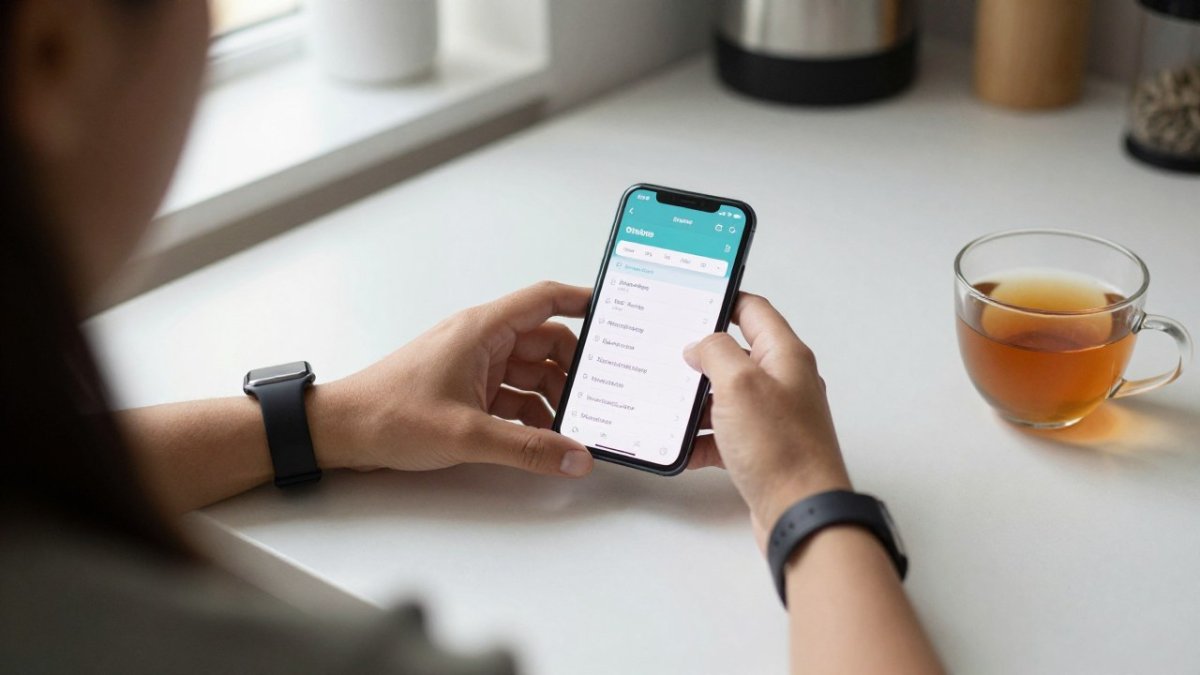
Start with sleep stages. Most wearables estimate light, deep and REM sleep by combining movement, heart rate and heart rate variability.
Resting heart rate is one of the more trustworthy wearable signals because it is measured during stillness and changes slowly.
Heart rate variability (HRV) is the most misunderstood metric.
Blood oxygen saturation (SpO2) is included on many wearables but is measured optically and is sensitive to fit, skin tone and motion.
Stress estimates deserve their own caution.
A practical way to read these metrics together is to ask three questions each week: Which signal moved most from my baseline? Did it stay moved for more than a few days? Does my logged context (sleep, stress, mood, movement) explain it? AI surfaces these relationships across weeks instead of requiring you to remember them, but interpretation still depends on your own baseline and notes.
Watch out: treating a single night's sleep-stage breakdown or a one-day HRV dip as a verdict is the most common way wearable data gets misread.
Choosing the Best App for Wearable Data
Many people already use Apple Health, Whoop, Oura or a similar device, and each syncs data to a phone. The question is whether an additional layer adds value, or whether it simply adds another screen.
The answer depends on what you need. Device-specific apps are strong at showing their own sensor data but often stop short of combining it with other sources, such as lab results, medication notes or mood records.
When comparing options, consider these criteria:
- Device neutrality: Does it read data from the devices you already own, or does it require a new one?
- Explanation over raw numbers: Does it tell you what a pattern might mean and what to try, or does it only display charts?
- Data scope: Can it combine wearable data with sleep, stress, mood, activity and laboratory results?
- Privacy controls: Can you see, export and delete what is stored?
- Human support: Is there a route to a qualified person when a pattern needs professional attention?
Other apps and wellness platforms, including Welltory and Fitbit, each have strengths, and some suit particular goals. If you want to compare options before choosing, see Welltory alternatives for better wearable data integration.
| Option type | Strength | Typical limitation | Best for |
|---|---|---|---|
| Device app (e.g., Apple Health, Oura) | Deep data from one device | Limited cross-source view | Single-device users |
| Standalone wellness app | Simple tracking and reminders | Often stops at numbers | Light tracking habits |
| Integrated platform (eeMeds) | Combines wearables, labs and mood | Requires connecting several sources | Users with multiple data streams |
Limits, Accuracy and Privacy: What AI Cannot Tell You
Honest interpretation means being clear about limits, and the most useful way to handle them is a repeatable workflow rather than a vague warning. To understand why wearable numbers need context before trusting AI interpretations, read why wearable data needs context to be useful.
A practical four-step workflow keeps interpretation grounded:
- Check data quality first. Before reading any trend, confirm the device was worn consistently. Gaps in wear time, a loose strap or a dead battery can create patterns that look physiological but are artifacts. If a week has more than a day or two of missing data, treat that week's trend as unreliable.
- Review trends against your own baseline. Compare the last seven days with your four-week baseline rather than with a population chart. A change of a few beats per minute in resting heart rate or a sustained shift in HRV is more meaningful than a single outlier.
- Record context alongside the numbers. Note sleep timing, stress, mood, movement, alcohol, travel and illness. Context is what turns a pattern into a hypothesis you can test.
- Decide when to seek professional advice. A persistent pattern that lasts more than a week, a pattern that worries you, or a pattern that diverges from how you feel is a reasonable trigger to bring the trend to a qualified professional. Bring the trend, not a single reading.
Clinical validation is worth asking about directly. Many wellness features have not been tested to the standard used for medical devices, and the difference matters when a feature informs care.
Privacy deserves equal attention. Health data is sensitive, and combining sources increases what can be inferred.
Watch out: a clean-looking dashboard can hide missing wear time or a device that slipped during sleep. Check data completeness before you trust a trend, because AI will happily interpret artifacts as if they were physiology.
Integrating Wearable Data with Virtual Care
Wearable insight becomes more valuable when it reaches the people managing your care. A pattern you have noticed across three weeks of sleep and stress data is much easier to discuss with a clinician when you can show it clearly.
This is where virtual care fits in.
Integration should support your existing care, not replace it. If you are already managed by an endocrinologist or another specialist, share relevant trends with them rather than making changes on your own. The aim is a clearer conversation, not a new source of medical instructions.
Turning Your Insights into a Practical Weekly Routine
Insight is only useful if it changes something. A simple weekly routine keeps interpretation manageable:
- Set a baseline: Spend the first two to four weeks observing without changing much, so your personal reference points are established.
- Pick one question: For example, "Does my sleep fall after late evenings?" Focus on one relationship at a time.
- Review trends, not days: Once a week, look at the seven-day pattern for sleep, resting heart rate and HRV together.
- Log context: Note stressful events, training load and mood so the numbers have a story.
- Test one small change: Adjust a single habit, such as an earlier wind-down, and watch whether the pattern shifts over the following week.
- Escalate when needed: If a pattern persists or worries you, bring the trend to a qualified professional.
Using AI to interpret wearable metrics works best when it is slow, specific and connected to your own life. The goal is not a perfect score but a clearer understanding of what your body is telling you, and a practical next step to try. If you are ready to see your data as one connected picture, eeMeds is built to help you do exactly that, with human support whenever you need it. Get started with eeMeds to turn scattered wellness numbers into patterns you can act on.
Frequently Asked Questions
How does AI help interpret wearable health data?
AI looks for patterns across several signals at once, such as heart rate, sleep timing, activity and self-reported mood, rather than judging each number alone. It compares your readings with your own earlier data to spot shifts that matter for you, like a run of poor sleep alongside rising resting heart rate. The output is best read as a prompt to notice and act, not a diagnosis. Wearable sensors can be affected by movement, skin contact and device design, so AI insights work best when they are checked against how you actually feel and, where relevant, against your clinician's advice.
What is the best app for wearable data?
The best app depends on what you want to do with the data. Some people need an app that gathers readings from several devices in one place, while others want guidance on what the numbers mean for daily habits. Look for device neutrality, the ability to view sleep, stress, activity and mood together, clear explanations rather than raw charts alone, and transparent privacy settings. Compare any tool against the wellness goals you set for yourself before choosing.
Can AI interpret sleep and stress metrics accurately?
AI can identify trends in sleep and stress metrics, such as a pattern of short nights before high-stress workdays, but accuracy depends on the sensors and the quality of the input data. Wrist-based devices estimate sleep stages with varying reliability, and stress scores are often derived from heart rate variability, which changes for many reasons. Treat AI-generated sleep and stress interpretations as useful signals to explore, and talk with a qualified professional if symptoms persist or worsen.
Should I share wearable data with my healthcare provider?
Sharing wearable trends with a healthcare provider can give useful context during a consultation, especially for ongoing conditions or medication monitoring. Bring a summary of patterns rather than every raw reading, and note which device produced the data. Your provider decides how much weight to give consumer device data. Check how any platform stores and shares your information before connecting it to a clinical service, and ask the provider what they need to see.
What privacy concerns come with AI-based wearable analysis?
Wearable data is sensitive health information, so it matters where it is stored, who can access it and whether it is used for purposes beyond your own insights. Review consent settings, data retention periods and whether you can delete your records. Use strong account security, and read the privacy policy before linking accounts. Ask any platform how it handles data sharing with third parties and whether you can withdraw consent at any time.